Live face and voice changing for streamers and creators.
Swap Soul turns your webcam and microphone into a character in real time. Use it in OBS, Twitch, YouTube, TikTok Live, Discord or any video call — it runs in your browser, with no graphics card needed.
Pay per second of use, with packs or a monthly plan. Credits never expire.
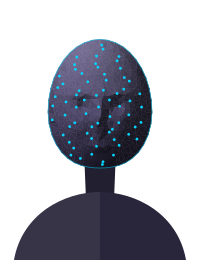
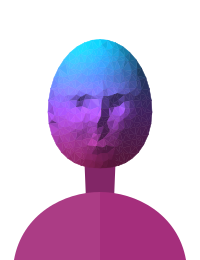
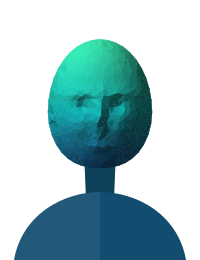
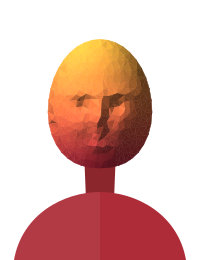
Product illustration. Characters are drawn; your output will show your own expressions.
Works with
- OBS Studio
- Twitch
- YouTube Live
- TikTok Live
- Kick
- Discord
- Zoom
- Google Meet
- Microsoft Teams
- Signal
How do you go live as an AI character?
Three steps, all in the browser. No download needed to try it.
- 1
Choose a look
Upload a picture of the character or describe it in a sentence. Save as many looks as you like.
- 2
Choose a voice
Pick one from the library or keep your own. Talk normally and it speaks your words.
- 3
Add it to OBS
Add the output window as a source, or select “OBS Virtual Camera” and the voice cable in any app.
What can you do with Swap Soul?
Face swap
Your webcam becomes a character in real time. Smiles, blinks and lip movement carry over, so it reacts the way you do.
- 720p at 30 frames per second
- Start from a photo or a written description
- Switch characters without dropping the stream
- Fast mode for quick-moving streams
Voice changer
Talk normally and each sentence comes out in the character’s voice moments after you say it.
- A library of ready-made voices
- Up to three character voices, one click apart
- Your own voice, with no added delay
- Optional laughs, sighs and reactions on a button
Voice Lab
Voiceovers for videos, intros and ads without recording a word — in a library voice, one you designed, or your own.
- Type a script, download an MP3 or WAV
- Describe a voice and hear three takes
- Clone your own voice from a short recording
- Every voice also works live in the studio
Live try-on
Wear clothes from a photo on your live camera. Build a wardrobe once, then change outfits between segments in one click.
- Add any garment from a product photo
- Switch outfits mid-stream, no reconnecting
- Your own face — only the clothes change
- Made for hauls, fits and brand deals
Agents
An AI co-host with its own personality and voice. Talk to it while you stream and it answers out loud, on screen — always labelled as AI.
- Write a persona: personality, style, boundaries
- Give it any voice from your library
- Put it on stream as an OBS overlay
- Share a link so fans can talk to it
AI twin
Type a script and get a video of yourself saying it. Intros, announcements and Shorts on the days you can’t film.
- Made from two minutes of you talking
- Your own voice, or any of your Voice Lab voices
- Vertical, wide or square — ready to post
- Only ever of you, confirmed by a live consent check
Video Studio
Upload a clip and tell it what to change. Swap an outfit, a product or the whole background in the seconds you choose, make it say something new, or turn it into a captioned Short.
- Photo to video, or a clip from a sentence
- Lip-sync a video to new audio, or make a photo sing
- Change anything in any part of a video with a sentence
- Auto captions and reframing — or copy the edit of a video you like
Photo Studio
Everything for pictures in one place: thumbnails, profile shots, product photos and posters — from a sentence, or from a photo you already have.
- Generate images in any shape
- Edit a photo by describing the change
- Remove backgrounds, erase things, expand the frame
- Upscale, then animate it in the Video Studio
Remote Studio
Run the studio on a powerful PC at home and use your laptop’s camera and microphone from anywhere.
- Pairs by signing in on both devices
- Works on strict networks through a relay
- Your laptop’s camera, your PC’s power
Pay for the seconds you use
Buy a pack when you need it, or take a monthly plan for cheaper credits that roll over. Credits arrive as soon as the payment goes through.
- Credit packs from $10
- A receipt for every payment
- Monthly plans with extra credits
Who is Swap Soul for?
How much does it cost?
1 credit = 1 second of face swap. The voice changer costs 4 credits a minute.
Monthly plans
Creator
$15 / month
520 credits every month
For a few streams or videos a week.
- ≈ 8 min of face swap a month
- +10% extra credits on any pack you buy
- Unused credits roll over — they never expire
- Cancel any time, keep what you paid for
Pro
$35 / month
1,300 credits every month
For streaming most days.
- ≈ 21 min of face swap a month
- +15% extra credits on any pack you buy
- Unused credits roll over — they never expire
- Cancel any time, keep what you paid for
Studio
$89 / month
3,500 credits every month
For daily streams and lots of video.
- ≈ 58 min of face swap a month
- 5% less per credit than packs
- +20% extra credits on any pack you buy
- Unused credits roll over — they never expire
- Cancel any time, keep what you paid for
Team
$179 / month
6,000 credits every month
Up to 5 people, one shared pool
One pool of credits for your whole team.
- ≈ 1.7 hr of face swap a month
- Invite your team; set a monthly limit for anyone
- +20% extra credits on any pack you buy
- Unused credits roll over — they never expire
- Cancel any time, keep what you paid for
Or buy credits once
Starter
$10
300 credits
- ≈ 5 min of face swap
- $2/min
- Never expires
Plus
$25
800 credits
- ≈ 13 min of face swap
- $1.88/min
- Never expires
Pro
$60
2,000 credits
- ≈ 33 min of face swap
- $1.80/min
- Never expires
Studio
$150
5,400 credits
- ≈ 1.5 hr of face swap
- $1.67/min
- Never expires
Max
$400
15,000 credits
- ≈ 4.2 hr of face swap
- $1.60/min
- Never expires
How is it kept safe?
Live AI faces and voices need clear limits. These apply to every account.
Consent first
Only faces and voices that are yours, invented, or used with the person’s permission.
Labelled output
An “AI-generated” label on the output, on by default, so viewers and platforms know.
Fast takedowns
Anyone can report misuse. Intimate or impersonating content tied to an account is acted on within 48 hours.
Live face swap questions, answered
Do I need a powerful computer?
No. The face swap and voice run on cloud AI, so any recent computer with Chrome or Edge, a webcam and a steady internet connection will do. A graphics card isn’t needed.
Does it work with OBS, Twitch, YouTube and Zoom?
Yes. Use the output window as an OBS source, or choose “OBS Virtual Camera” as your camera in any app.
For the voice, a free virtual audio cable carries it into OBS or your call app. The setup guide walks you through both.
How is it charged?
With credits. The face swap uses credits per second while it runs and the voice changer per minute; nothing is charged while you’re offline. Credits never expire.
Buy them in packs, or get them every month on a plan — pay by card or crypto.
What is the delay?
The AI voice speaks each sentence shortly after you finish it — usually around a second, depending on the voice and your connection. You can delay the video to keep lips in sync, or keep your own voice with no added delay.
Can I try on clothes live?
Yes — that’s Live try-on. Add photos of garments to your wardrobe, switch the studio to Try-on, and you appear in them on your live camera with your own face.
Change outfits mid-stream in one click; it costs the same per second as face swap.
What can agents do?
An agent is an AI character you write — its personality, how it talks and what it won’t do — with any voice from your library.
Chat with it from the dashboard, let it answer out loud on your stream through an OBS overlay, or share a link so fans can talk to it.
It always says it’s an AI if asked.
What is an AI twin?
A video version of you.
Record about two minutes of yourself talking, pass a short live consent check, then type any script and get a video of you saying it — in your own voice or one from Voice Lab.
It’s charged per second of finished video, and it can only ever be of you.
What can the Video Studio do?
Turn a photo into a video, change what a video says to audio you upload (or make it sing your song), make a photo talk or sing, and change anything in any part of a video by describing it.
It also captions, reframes and tidies your clips automatically, and can copy the editing style of an example you upload.
Each tool shows its price before you start, and failed jobs are refunded.
Can I make voiceovers without going live?
Yes — that’s Voice Lab. Paste a script, choose a voice (a library voice, one you designed, or your own clone) and download an MP3 or WAV. It’s charged per clip, by the number of characters.
Do you keep my video or voice?
Not when you’re live: your camera and microphone pass through to the AI services and aren’t recorded by us.
What you save — cloned and designed voices, Voice Lab clips, AI twin videos, Studio media, saved looks and settings — is kept on your account until you delete it (Studio media you don’t keep is deleted after a while).
Can I use someone else’s face or voice?
Only with their clear permission. Using a real person’s likeness without consent, impersonating someone, or deceiving people in ways that harm them is against our rules and closes accounts.
Try it with 30 free credits.
Create an account, pick a character, add the output to OBS and go live.